Yes, built-in Ethernet is a standard feature on nearly all Chromeboxes, whereas pogo pins are virtually non-existent on both Chromeboxes and Linux laptops due to their specific design purposes.
The structural and hardware layout for these form factors includes:

1. Chromeboxes: Standard Native Ethernet

Because Chromeboxes are stationary desktop PCs, they do not face the slimness constraints of tablets or laptops. Almost every Chromebox manufactured features a physical, built-in RJ45 Gigabit Ethernet port alongside multiple USB and display connections. They do not feature pogo pins, as they are meant to sit permanently on a desk or mount behind a monitor. [1, 2]
Excellent current-generation examples with native Ethernet ports include:
Features a built-in 2.5 Gbps Ethernet port for ultra-fast wired networking, alongside multiple HDMI ports and a DisplayPort.
Includes a native Gigabit RJ45 Ethernet port standard on the rear I/O panel for reliable enterprise and school connectivity.
Lenovo ThinkCentre M60q Chromebox Enterprise
Offers a standard Gigabit Ethernet port housed in a ruggedized, micro-desktop chassis built for corporate deployments.

2. Linux Laptops: Built-in Ethernet & Pogo Pins

Linux laptops generally follow standard clamshell PC designs, meaning physical Ethernet is common on larger models, but pogo pins are extremely rare.

Built-in Ethernet

While ultra-thin Linux laptops (like the Dell XPS Developer Edition) omit the bulky port, several premier, developer-focused Linux laptops retain native RJ45 ports:
  • Framework Laptop 16: This fully modular Linux-friendly laptop allows you to slide in a dedicated Ethernet Expansion Card module, creating a native, rock-solid physical port. [3]
  • System76 Oryx Pro / Serval WS: These high-performance workstations designed specifically for Pop!_OS and Ubuntu feature native, high-speed Gigabit or 2.5 Gbps Ethernet ports directly on the chassis.
  • Slimbook Titan / Executive (Larger Models): Dedicated Linux ultrabooks and workstations from Spain that frequently include physical Ethernet ports on their thicker, high-performance SKUs.

Pogo Pins on Linux Laptops

You will almost never find pogo pins on a standard Linux laptop. Pogo pins are designed for detachable keyboard hinges or drop-in charging docks—mechanisms rarely utilized on open-source clamshell PCs. The only edge-case exception is the Pine7 PineTab-V / PineTab2, which are open-source Linux tablets (running Arch Linux ARM) that feature a magnetic pogo-pin connection on the bottom spine to connect their official backlit keyboard cases. [4]
If you are looking to purchase a device, could you share a bit more context:
  • Are you setting up a fixed desktop workspace (Chromebox) or do you need on-the-go mobility (Laptop)?
  • What Linux distribution do you plan on running (e.g., Ubuntu, Fedora, Arch)?
  • Is high network speed (2.5 Gbps or higher) a requirement for your networking environment? [5, 6]
1. ChromeOS Tablets with Pogo Pins
Pogo pins are quite common on ChromeOS tablets, engineered to allow a hardware data and power connection without needing Bluetooth pairing or separate peripheral batteries. [1, 2, 3, 4, 5]
  • Lenovo IdeaPad Duet Series: Popular consumer tablets like the Lenovo IdeaPad Duet Chromebook feature a 5-point magnetic pogo pin array on the bottom edge. This instantly pairs and powers the bundled keyboard folio. [1, 2, 3]
  • HP Chromebook x2 11: This detachable ChromeOS tablet utilizes a magnetic pogo-pin mechanism on the base to interface with its keyboard accessory. [1]
  • ASUS Chromebook Detachable CM3 / CZ1: These ruggedised education tablets feature physical pogo pins on the bottom spine to align and power their clip-on keyboards securely.
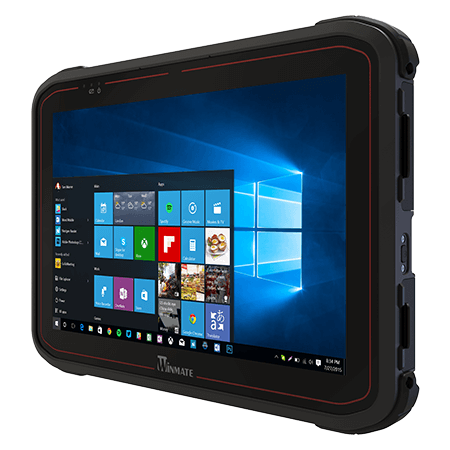
S101TG | 10.1-inch Rugged Tablet PC | Winmate
Explore Winmate S101TG, a rugged tablet PC featuring Intel® Core™ i5-1135G7, 10.1-inch display with 1920x1200 resolution, IP65…
Original link
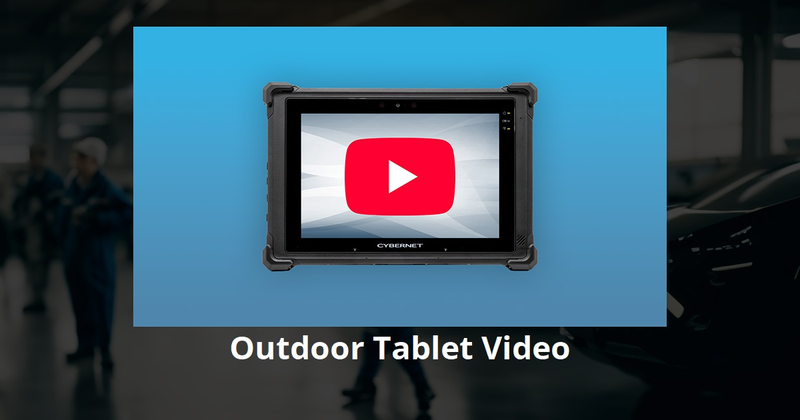
Outdoor Tablet – Sunlight Readable Rugged Tablets | Cybernet
The Rugged X20 Outdoor Tablet offers a bright sunlight-readable display, hot-swappable battery, and industrial durability engineered for field service and utility teams.
Original link

Finding mobile devices with native Ethernet ports is challenging because modern design trends prioritize thinness and wireless connectivity. However, specialized hardware exists, particularly in the industrial and enterprise sectors.

Tablets and Phones with Native Ethernet

Native Ethernet (RJ45) ports on mobile devices are almost exclusively found on ruggedized hardware intended for industrial, military, or field-service environments.

  • Winmate S101TG: A 10.1-inch rugged Windows tablet that features an integrated, full-size RJ45 Gigabit Ethernet port. It is designed for field service and mission-critical computing.
  • Cybernet Rugged X20: An outdoor-rated Windows tablet that includes a built-in RJ45 Gigabit Ethernet port with PXE support. It is engineered for industrial use cases such as fleet management and logistics.
  • Smartphones: There are currently no mainstream consumer smartphones with a built-in RJ45 Ethernet port. Ruggedized phones (like the Hammer series) prioritize IP68/IP69K water and dust resistance, which makes traditional Ethernet ports problematic due to the physical size and sealing requirements.

New Laptops with Built-in Ethernet

While many "thin-and-light" laptops have abandoned the port, many business-class, workstation, and creator-focused laptops still include them. If you are looking for new devices (not second-hand), focus on these categories:

  • Creator Laptops: Models like the ASUS Vivobook Pro series often retain an RJ45 port because they are designed for power users who require stable, high-speed wired connections for transferring large media files.
  • Business/Workstation Laptops: Search for "Workstation" or "Business Rugged" lines from major manufacturers (e.g., Lenovo ThinkPad P-series, Dell Precision, or HP ZBook). These are almost guaranteed to have native Ethernet because corporate IT departments require them for secure, wired network access.

Pogo Pin Ecosystems

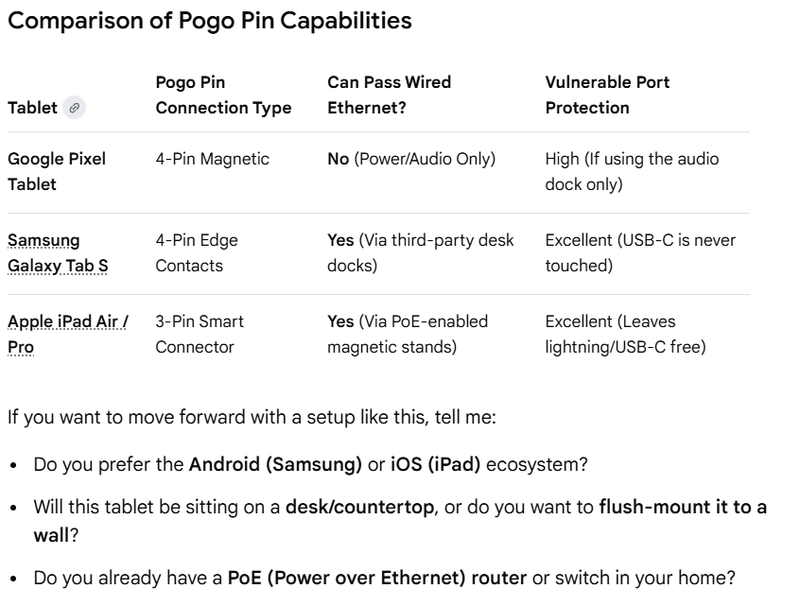
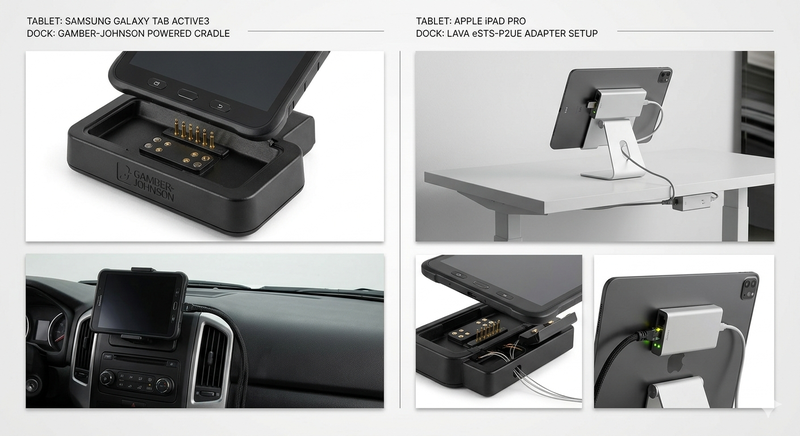
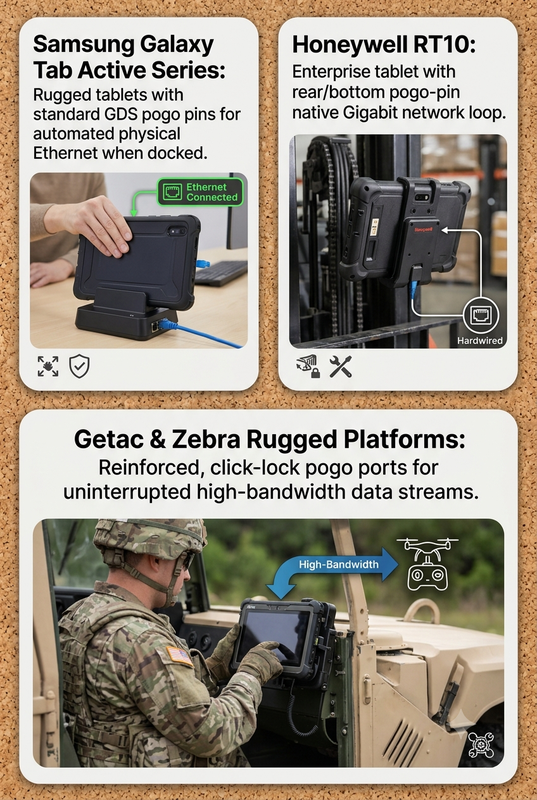
The Pogo pin setups you researched are modular, not natively "Ethernet-ready" out of the box. They act as bridges for data.

  • HMD Fusion: It uses 6 pins. Five pins provide a standard USB 2.0 data interface, and the sixth is for accessory identification. To get Ethernet, you would need a "Smart Outfit" that contains a USB-to-Ethernet bridge chip.
  • PINE64 PinePhone: The Pogo pins are designed for expansion (keyboards, etc.), not direct networking. Like the HMD, you would need to build or attach a module that converts the signal to Ethernet.
  • Motorola Moto Z: The 16-pin "Moto Mods" interface was a high-bandwidth proprietary connection capable of power and data, but it was retired years ago.

Summary Table for Research Board

Device TypeNative Ethernet?Best For...
Rugged TabletsYes (e.g., Winmate, Cybernet)Industrial, fixed, or field use.
Business LaptopsYes (Standard)Professional work environments.
Modular PhonesVia "Outfit"/AdapterPrototyping, custom kiosk builds.
SBC (e.g., Raspberry Pi)Yes (via HAT)Bespoke projects, batteryless operation.

Pro Tip for your Research Board: If you want a "batteryless" experience, Single Board Computers (SBCs) are the most viable route. A Raspberry Pi equipped with a PoE HAT can pull both power and data from a single Ethernet cable, functioning perfectly without a battery or USB-C port usage. This is the "Gold Standard" for custom kiosk hardware compared to modifying a smartphone.


Ultrawide monitors - Cheap Ultrawide monitor Deals | Currys
Experience immersive gaming with an ultrawide monitor from Currys. Our collection features the latest models from Huawei and LG, including 32:9 monitors.
Original link